Features

Checkout page customization

1mo agoPending

With XStore, you can make minor modifications to the checkout page (such as adding elements), but you cannot customize the display of the `[woocommerce_checkout]` shortcode.

For instance, when I add a shipping carrier selection plugin, the display looks unsightly. It should be possible to easily improve the layout of the `[woocommerce_checkout]` component.

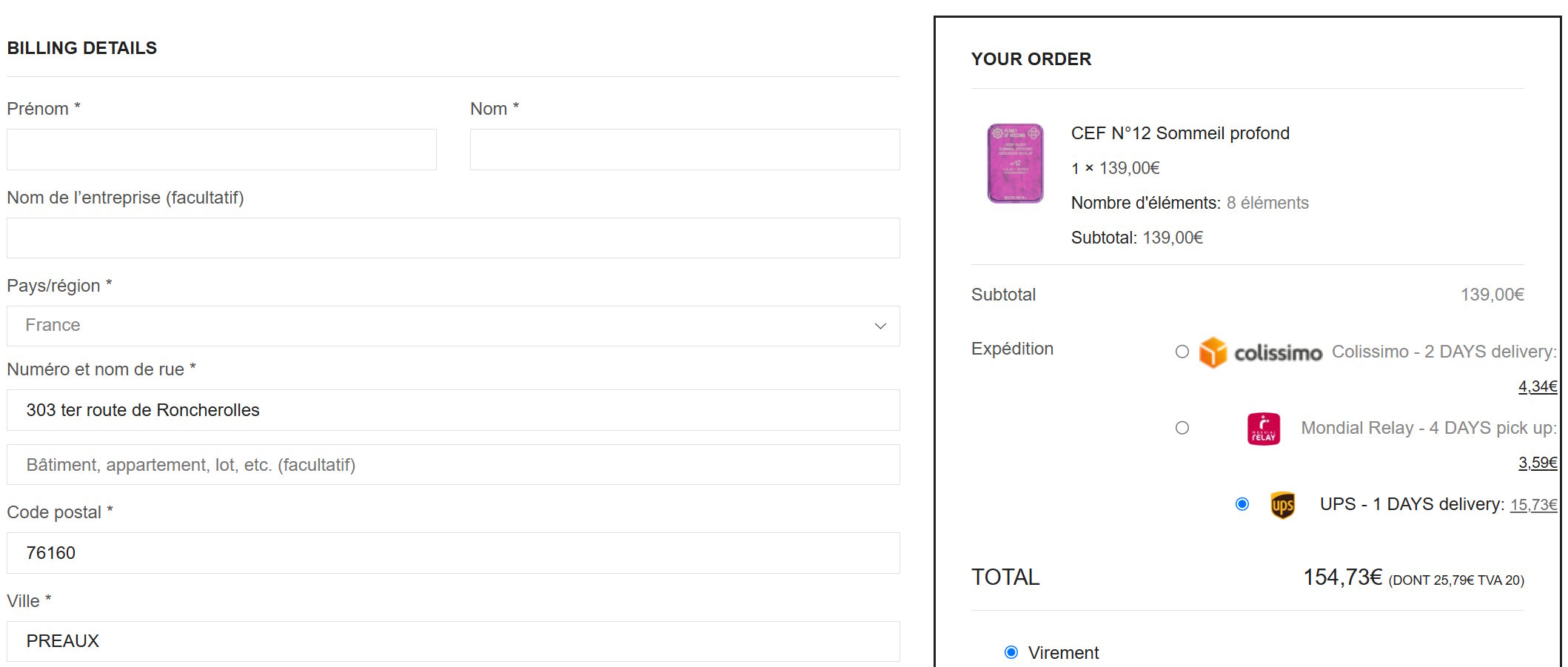
  • img/i_m10rgtmfzk58nv6ofap2ruze

1 comment

  1. ayanrahman1mo ago

    Hi,

    If you would like more flexibility when customizing the cart and checkout pages, please refer to our forum discussion, where you can find instructions and screenshots https://www.8theme.com/topic/presale-questions-on-customize-cart-checkout-page/#post-464210

    In short, you can enable the new Cart and Checkout widgets by adding the following filters to your child theme’s functions.php file:
    add_filter('etheme_elementor_cart_new_widgets', '__return_true');
    add_filter('etheme_elementor_checkout_new_widgets', '__return_true');

    Once enabled, separate Cart and Checkout widgets will become available in the Elementor builder, allowing you to customize these pages with greater flexibility.

    Please note that the default [woocommerce_checkout] shortcode itself is not designed to be edited directly through the builder. If you need to adjust the styling or layout of a specific shipping carrier plugin on the checkout page, please create a separate topic in our XStore support forum and describe the issue in detail, including screenshots. Our support team will be happy to investigate and advise you on a possible solution.

    Warm Regards,
    The 8Theme Team