
Checkout page customization
With XStore, you can make minor modifications to the checkout page (such as adding elements), but you cannot customize the display of the `[woocommerce_checkout]` shortcode.
For instance, when I add a shipping carrier selection plugin, the display looks unsightly. It should be possible to easily improve the layout of the `[woocommerce_checkout]` component.
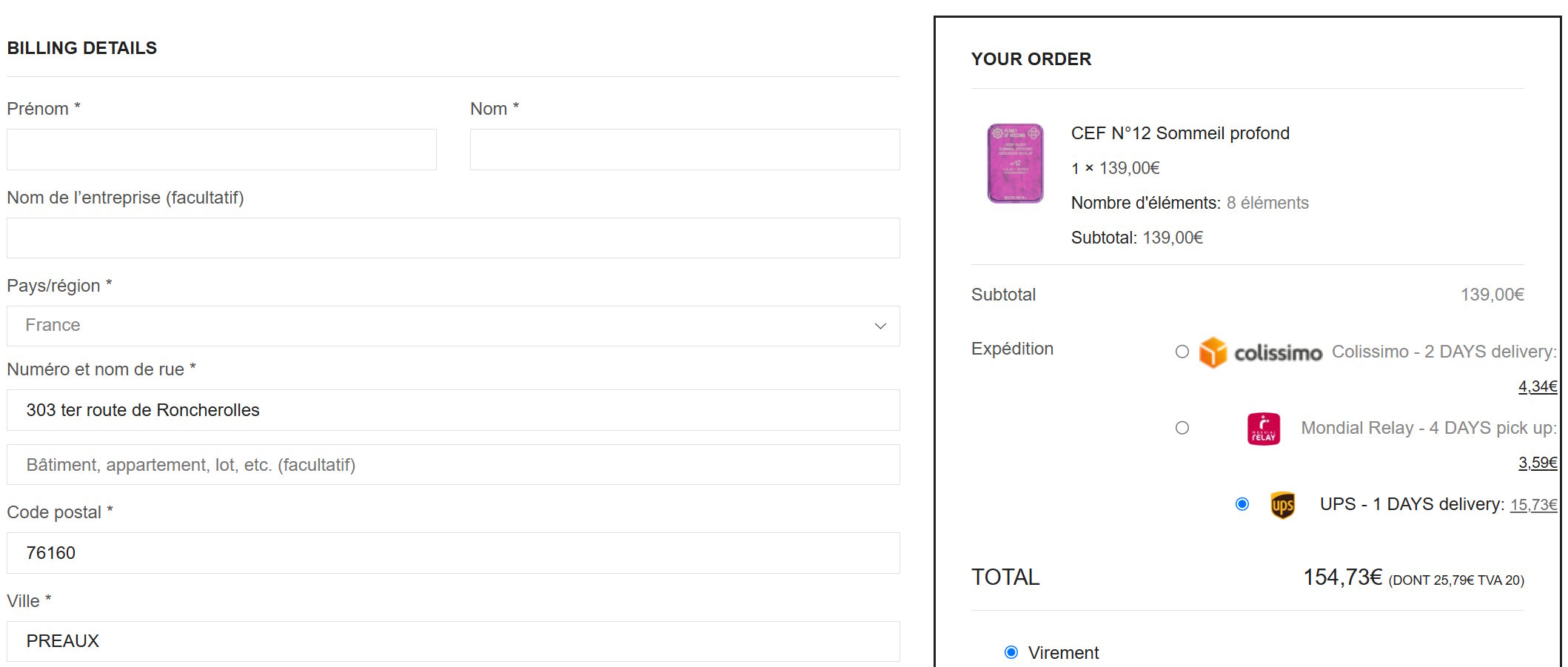
Pending
Hi, If you would like more flexibility when customizing the cart and checkout pages, please refer to our forum discussion, where you can find instructions and screenshots https://www.8theme.com/topic/presale-questions-on-customize-… In short, you can enable the new Cart and Checkout widgets by adding the following filters to your child theme’s functions.php file: add_filter('etheme_elementor_cart_new_widgets', '__return_true'); add_filter('etheme_elementor_checkout_new_widgets', '__return_true'); Once enabled, separate Cart and Checkout widgets will become available in the Elementor builder, allowing you to customize these pages with greater flexibility. Please note that the default [woocommerce_checkout] shortcode itself is not designed to be edited directly through the builder. If you need to adjust the styling or layout of a specific shipping carrier plugin on the checkout page, please create a separate topic in our XStore support forum and describe the issue in detail, including screenshots. Our support team will be happy to investigate and advise you on a possible solution. Warm Regards, The 8Theme Team